„Connector for Propstack“ plugin for WordPress
The Propstack plugin for WordPress.
Publish your property listings from the Propstack CRM automatically on your WordPress website – in your site’s design, without an iFrame, and in a way that’s discoverable by Google.

5.0 ★★★★★ on wordpress.org
View reviews of the Light version
Propstack × WordPress
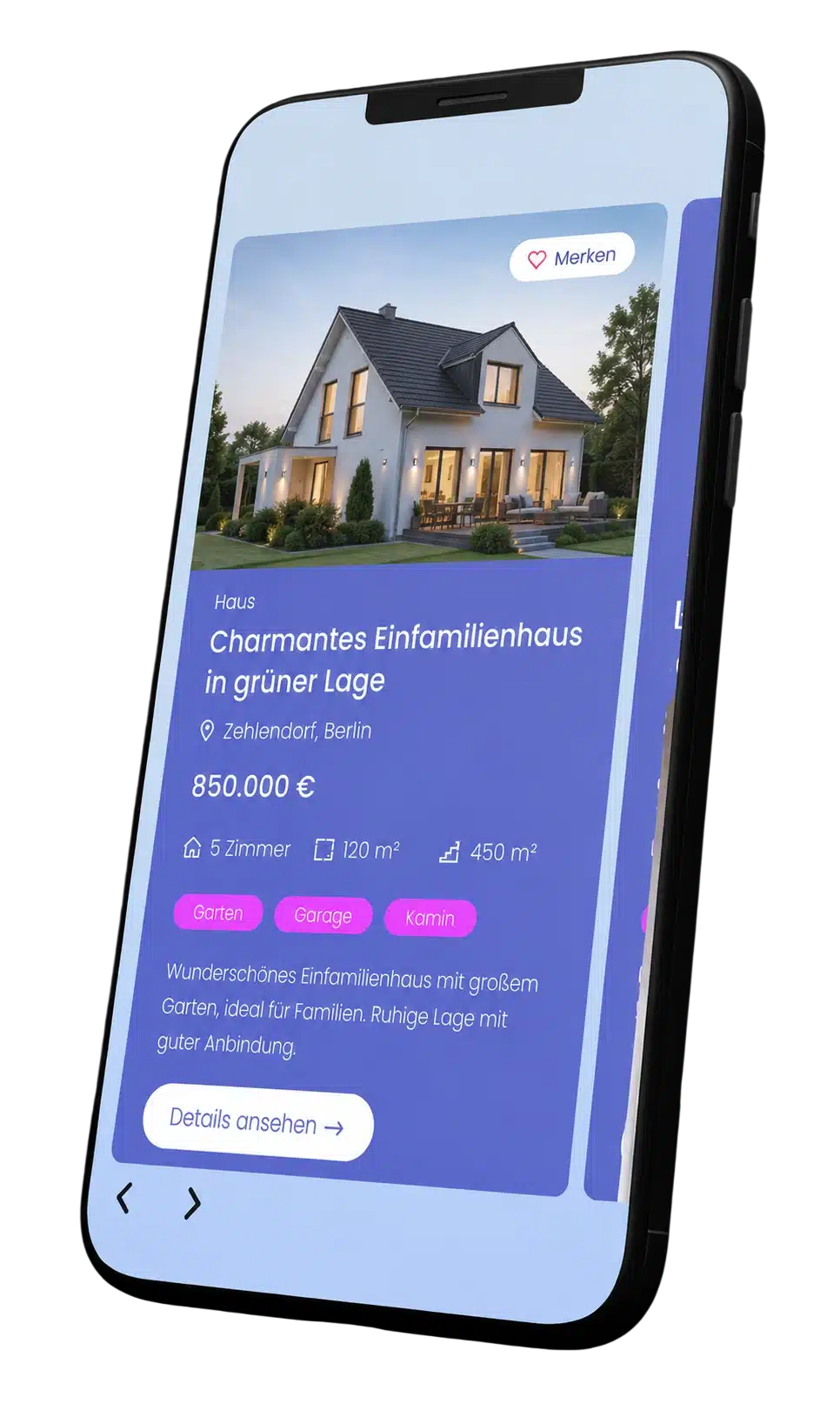
Property view
Connector for Propstack

Properties from Propstack.
Imported automatically.
01 / Native Integration
Maintain in Propstack. Be found on your website.
Do you use the Propstack property CRM and run your website on WordPress? If so, your properties will appear on your website in just a few clicks – always up to date and including all images.
Free in the Light version
Import property
Import properties from Propstack automatically or with a single click, including all images.
Search engine optimisation
List and detailed views are delivered as indexable HTML under a dedicated URL on your domain.
Native theme design
The overview, filter and detail view adopt the typography and colours of your theme.
Filter properties
View properties filtered by, for example, location, buy or rent, or property type.
Blocks or shortcodes
Customisable display using 7 Gutenberg blocks or via a shortcode in any location.
Get started for free
The Light version is available free of charge from the WordPress plugin directory.
Set it up easily with AI
The plugin comes with built-in ‘Abilities’ (skills) for AI assistants. Simply tell your AI what you need – it will set up the import, templates and display of the property listings directly in WordPress for you.
Also included in the Pro version
Contact forms
Customisable enquiry forms. Enquiries are sent by email to the estate agent and directly into the Propstack CRM.
Widgets for Page Builder
Ready-made widgets and templates for 17 page builders and themes – including Elementor, Divi 4 & 5, Bricks, Breakdance, Avada, Oxygen and WPBakery.
Templates included
Get started straight away with the included templates for list and detail views.
Custom URL slugs
You can customise the URLs for list and detail views to suit your website.
Rich Snippets
Structured data, so that Google can find and display your properties in the best possible way.
Pro version
An unlimited number of items, personalised support and, with an annual subscription, up to 3 hours’ set-up.
02 / How it works
Importing property listings into WordPress. In three steps.
The plugin retrieves your objects via the official Propstack API (V1 or V2) and stores them in your WordPress database.
01 — Connect
Connecting WordPress and Propstack.
Once installed, enter your API key from Propstack. Your properties, including images, will then be imported automatically or with a single click. Over 270 data fields are supported.
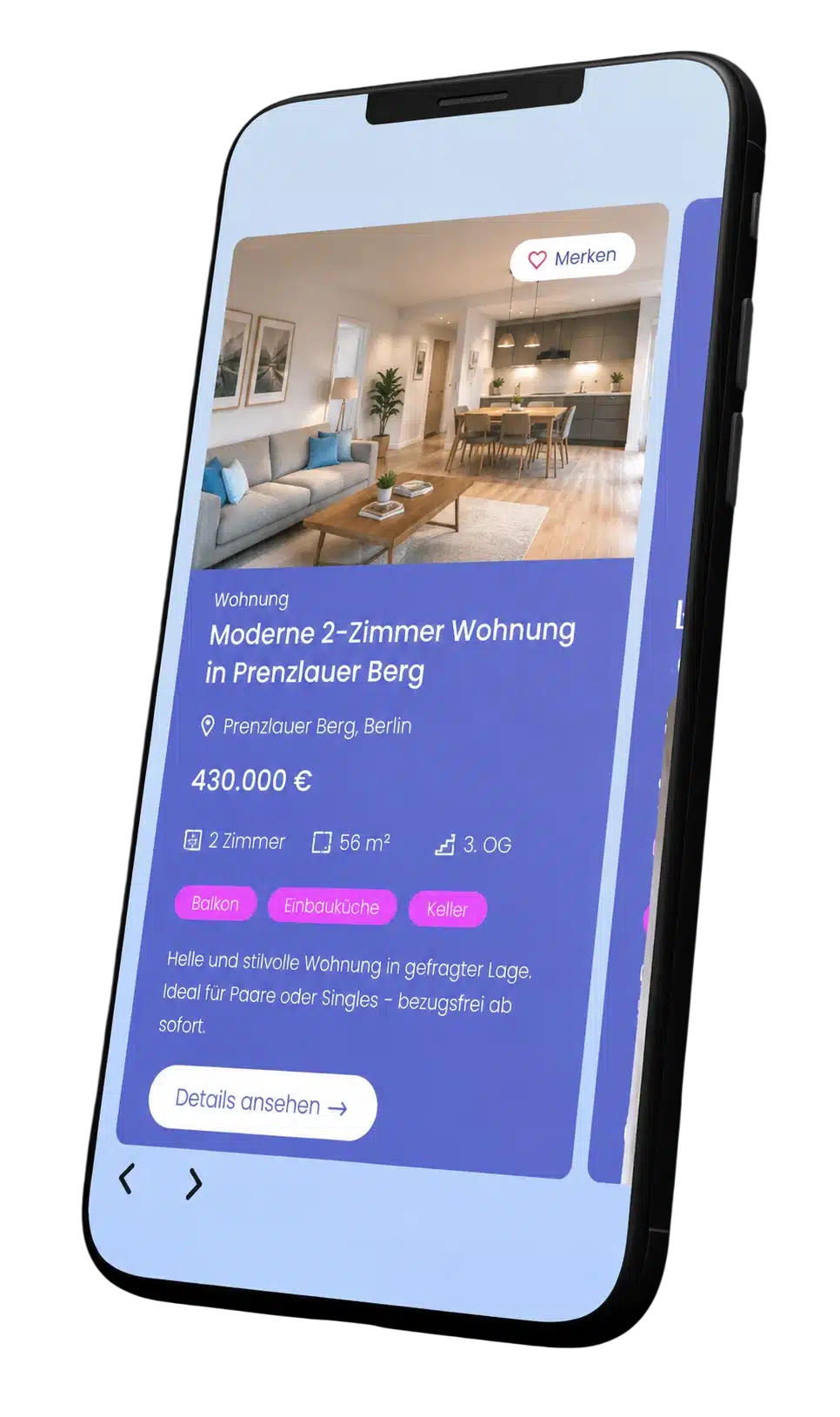
02 — Design
Styling using blocks or widgets.
For property lists, filters and detailed views, the plugin provides 7 Gutenberg blocks (Light) or widgets and ready-made templates for your page builder (Pro). Alternatively, you can use shortcodes.
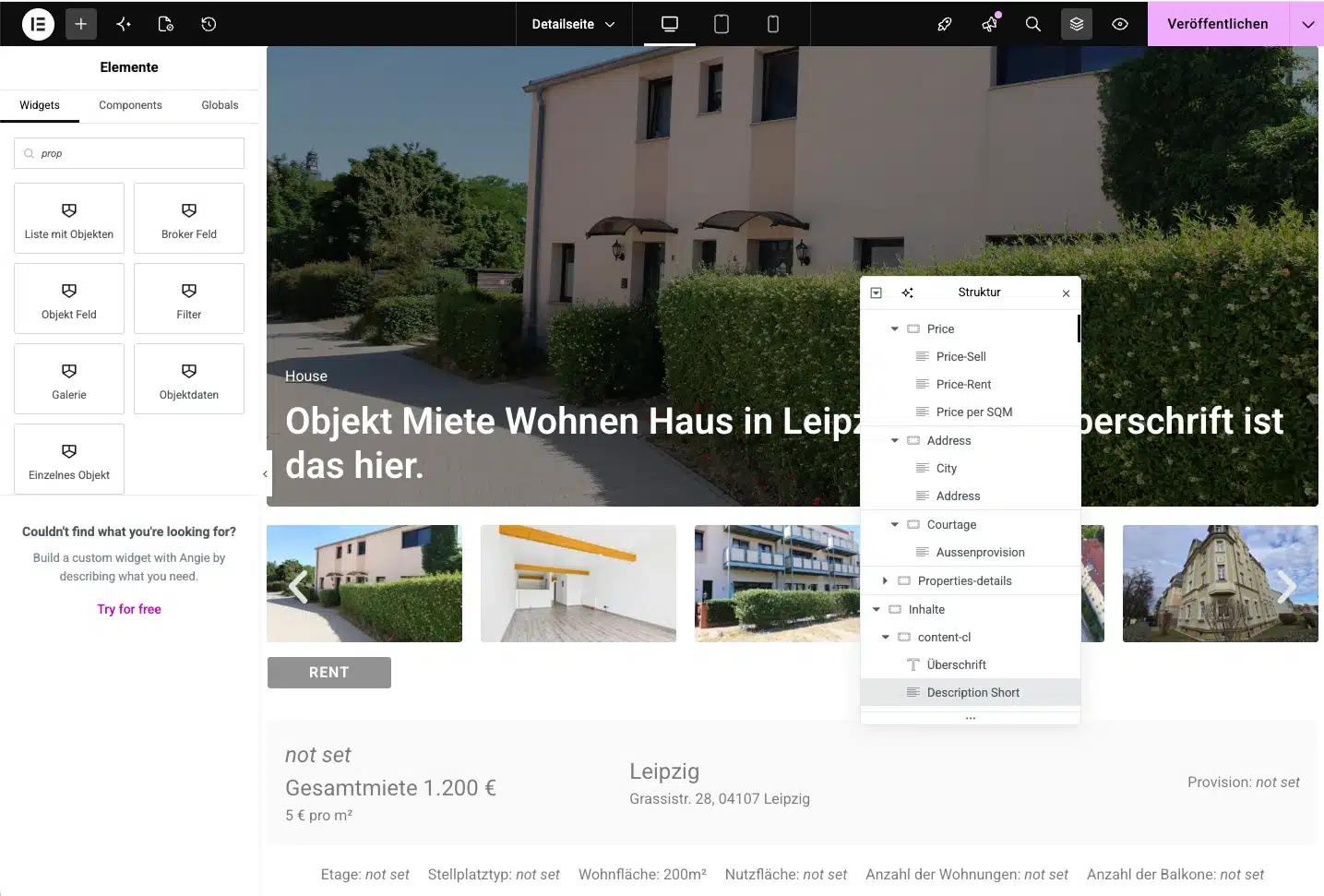
03 — Publish
Advertise property.
Embed property listings, filters or individual property details exactly where prospective buyers are looking for them: on a dedicated property page or within a landing page. By default, you’ll find the overview under ihre-domain.de/objekte/. Enquiries submitted via the contact form go straight into Propstack.
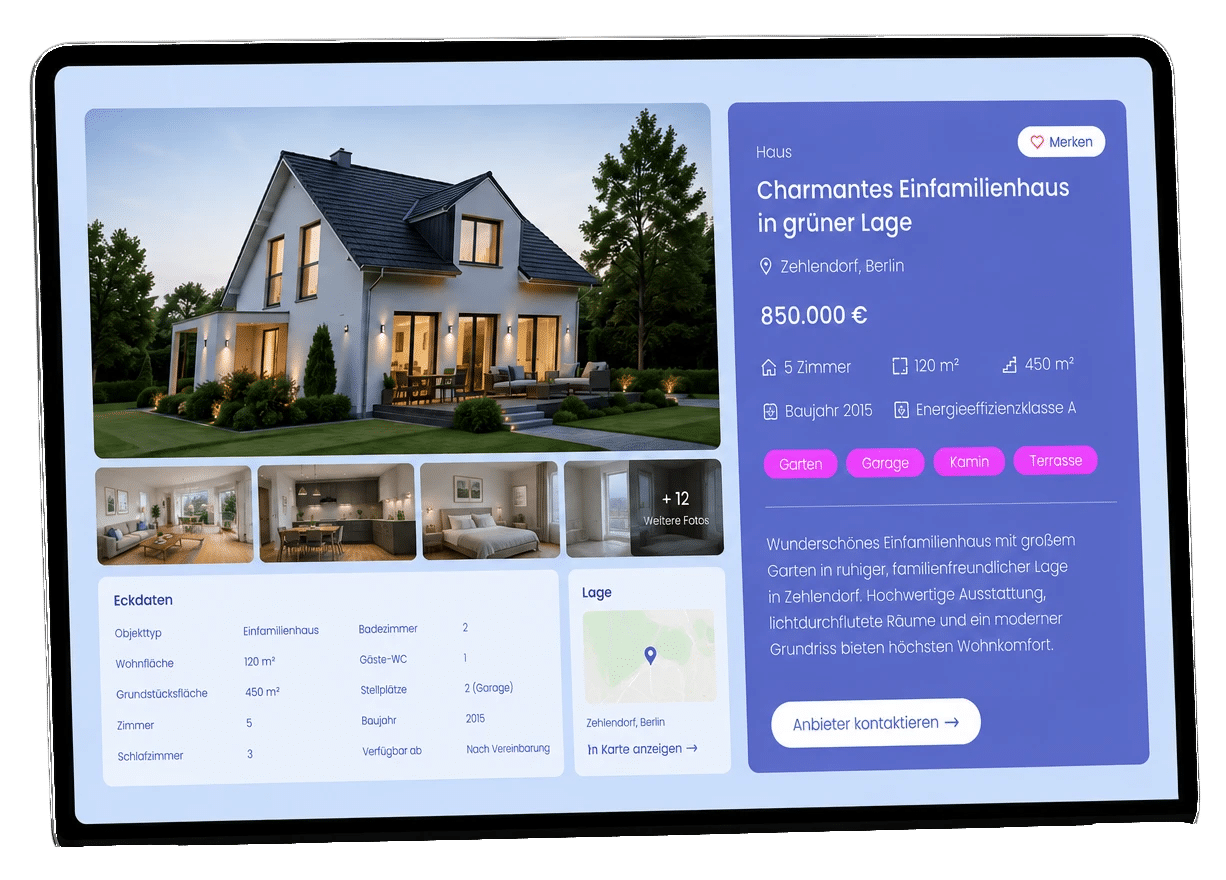
03 / With the Pro version
Property listings in the Page Builder design.
You can style list and detail views directly within the page builder used to build your website – without any coding. 17 page builders and themes are supported.






Supported: Avada, Avia (Enfold), Beaver Builder, Breakdance, Bricks, Brizy, Divi 4, Divi 5, Elementor, GeneratePress Elements, Live Composer, Oxygen, Salient, SiteOrigin, Themify, WPBakery and Zion Builder. Other page builders available on request.
04 / Light or Pro
Get started for free. Achieve more with Pro.
The Light version is ideal for getting started. The Pro version includes templates, contact forms, page builder widgets and an unlimited number of objects.
Light version
The basic plugin.
For a quick start, with up to 10 items displayed.
Permanent
€0
Available free of charge in the WordPress plugin directory.
No subscription, no licence key.
Can be upgraded to Pro at any time.
- Easy integration with no programming knowledge required
- Set up with AI using the included Abilities (Skills)
- Automatic or manual import with a single click
- Native theme design
- Filter properties, e.g. by location or type
- 7 Gutenberg blocks or shortcodes
- Indexable by search engines
- Each object has its own URL
- Up to 10 properties on the website
- Over 270 data fields
Support via the WordPress support forum
For your estate agent’s website
Pro version
Everything estate agents need.
As part of a subscription, including personalised support.
Net per month from
€30
1 month: €50
12 months: €35 per month (total €420)
24 months: €30 per month (total €720)
- All the features of the Light version
- Contact forms with data transmission to estate agents and CRM systems
- Widgets for 17 page builders, e.g. Elementor, Bricks, Divi and others.
- Templates for list and detail views
- Automatic import via API
- Rich snippets for Google
- Custom URL slugs
- An unlimited number of objects
- Personal support
- Up to 3 hours’ set-up included in the annual subscription
Already a customer? Query licence
05 / Good to know
FAQs about Propstack WordPress plugin.
Can’t find your question here? Drop us a line – we’ll be happy to help.
The Pro version is available on a subscription basis at the following net prices:
- 1 month: €50
- 12 months: €35 per month (total €420)
- 24 months: €30 per month (total €720)
The total amount is calculated upon completion. The subscription is automatically renewed 7 days before it expires for the period booked and can be cancelled at any time.
The free Light version imports all objects but displays up to 10 on the website. You can customise the layout using 7 blocks or via CSS. The Pro version displays an unlimited number of objects and includes templates, contact forms, rich snippets and widgets for your page builder – plus personalised support.
Yes. The plugin provides abilities (skills) for AI assistants – even in the free Light version. If your AI is connected to WordPress, simply describe what you want, and it’ll take care of the set-up: from connecting to Propstack to importing, templates and displaying the properties. No programming knowledge required, and no need to click through all the settings.
Log in to Propstack and go to the API keys section under „Admin“. Click on „Add API key“ and select the „WP ImmoMakler“ template – or set the permissions for properties and property statuses to ‘Read’. Enter the key in the plugin under Settings → Connector for Propstack → API.
Currently, around 270 data fields and all images are being imported. If you find that a data field is missing, please contact our support team.
Importing works with any page builder. In the Pro version, you can edit templates for list and detail views directly within your page builder – supported page builders include Avada, Avia (Enfold), Beaver Builder, Breakdance, Bricks, Brizy, Divi 4, Divi 5, Elementor, GeneratePress Elements, Live Composer, Oxygen, Salient, SiteOrigin, Themify, WPBakery and Zion Builder. In the Light version, you can design the views using the Block Editor or via CSS.
For the free version, please use the public WordPress support forum. Pro customers can contact us by email and telephone or directly within the plugin via „Questions? Ask them here“. We’re happy to answer any preliminary questions via our Contact form.
06 / Read more
Documentation and help.
The next step is a meeting.
Your new look. Let’s get started.
Do you already have a specific idea? Or do you simply feel that your website could do more? Tell us about it.
No obligation · personalised · direct

Tobias Ebert
Managing Director · laOlaWeb